Table of Contents
Google Workspace providers play a vital role in helping businesses create secure and well-organised shared mailbox environments for teams handling customer enquiries, sales requests, and operational communication. Although Google Workspace (formerly G Suite) approaches shared mailbox management differently from traditional email platforms, experienced providers configure collaborative solutions that maintain security, accountability, and administrative control. This enables organisations to streamline communication without relying on shared passwords or inefficient manual processes.
As businesses grow, multiple departments often need access to the same email address while ensuring every message is handled by the right person. Without a structured configuration, duplicate responses, missed enquiries, and permission issues can quickly affect productivity. A professionally designed shared mailbox strategy supports smoother collaboration and creates a more reliable communication workflow.
Why Shared Mailbox Management Requires Technical Expertise
Managing a shared mailbox involves far more than granting access to an inbox. Permissions, routing rules, security policies, data retention, and user authentication all influence how effectively the mailbox performs. An incorrect configuration can result in missing emails, duplicated replies, or unauthorised access to confidential information.
As opposed to workarounds, firms should consider professionally designed setups which will always stay organized even when teams grow larger. This is especially important for organisations working through different departments where more communication arises with the growth of the company.
Key challenges businesses commonly face include:
- Multiple users replying to the same customer enquiry.
- Limited visibility of user activity and email ownership.
- Inconsistent mailbox permissions across departments.
- Difficulty maintaining security and compliance standards.
- Increased administrative workload for internal IT teams.
Google Workspace providers Build Smarter Collaboration Systems
Experienced workspace providers evaluate how each department communicates before recommending the most suitable shared mailbox structure. Instead of applying identical settings across every team, they create permission models that reflect operational responsibilities, approval workflows, and business processes.
For example, customer support teams may require collaborative inbox features, while finance departments need stricter access controls and audit capabilities. Sales teams, meanwhile, often benefit from delegated mailbox access that enables quicker response times without sharing passwords.
Many organisations also depend on Google Workspace business email as the foundation of their daily operations. Proper mailbox planning ensures incoming enquiries reach the appropriate teams without unnecessary forwarding or manual intervention.
Using Google Groups and Delegated Access Effectively
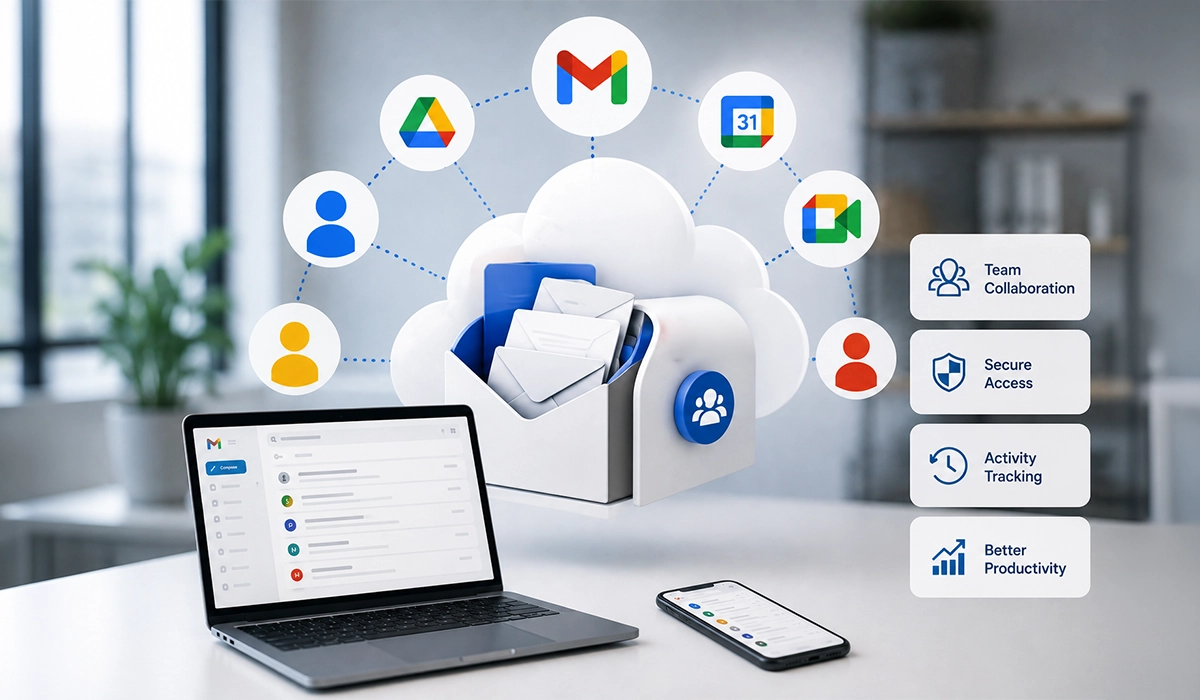
One of the most effective approaches to shared mailbox management is combining Google Groups with delegated mailbox access. These native capabilities allow multiple authorised users to read and respond to messages while preserving individual user accounts and maintaining administrative oversight.
Instead of distributing passwords among staff, administrators assign permissions through secure user roles. This creates a more controlled environment that supports accountability and simplifies ongoing management as employees join, change roles, or leave the organisation.
A professionally configured shared communication environment typically includes:
- Role-based access permissions for authorised users.
- Group email addresses for departmental communication.
- Delegated mailbox access for selected employees.
- Centralised administration through the Google Admin Console.
- Activity monitoring to improve operational transparency.
Planning a Reliable Mail Flow
A shared mailbox performs efficiently only when email routing has been carefully planned. Incoming messages should reach the correct destination automatically, while outgoing responses should maintain a consistent sender identity. Misconfigured routing rules often create delays, duplicate conversations, or overlooked customer requests.
Professional implementation also considers future scalability rather than only immediate requirements. Businesses frequently need additional departments, regional teams, or project-based inboxes, making a flexible email architecture an essential part of long-term operational planning.
Secure Administration and Access Control
Businesses should never rely on a single username and password for multiple employees. It is possible to set individual permission rights for those individuals who will be allowed to view, reply or manage the conversations within the mailbox.
Businesses seeking Google Workspace support Dubai often require assistance with configuring these permissions correctly, particularly when teams work across different functions. Proper administration reduces the risk of accidental changes and ensures access remains aligned with organisational policies.
Well-managed access controls typically include:
- Individual user permissions instead of shared credentials.
- Multi-factor authentication for authorised users.
- Role-based administration to minimise unnecessary privileges.
- Periodic reviews of mailbox access rights.
- Automated removal of permissions for inactive users.
Improving Business Communication Through Shared Mailboxes
The concept of shared mailbox works effectively when it provides proper ownership of discussions. There should be a way for the staff to distinguish those emails that have been delegated, responded to or need some other follow up action taken. This helps prevent duplicate responses.
With integration of Google Workspace business communication, the shared inbox becomes part of a wider collaboration environment where teams can manage their emails along with calendar, documents, and collaborative workspace without moving across different platforms.
Properly managed Shared Mailbox will ensure that a professional business email atmosphere is maintained since every customer query will be responded to consistently, irrespective of who from your team replies to them.
Choosing the Right Configuration for Different Departments
Every department does not necessarily have the same mailbox configuration. The customer service department usually needs collaboration in the handling of many questions or queries, whereas the finance and human resources departments may need some more permissions and monitoring of their activities.
Some organisations continue to use the term G suite when referring to Google Workspace. Contemporary administrative capabilities enable greater flexibility while handling departmental mailboxes while retaining control via a single management console.
Different teams benefit from different mailbox models:
- Customer support benefits from collaborative inbox management.
- Sales teams require delegated access for timely follow-ups.
- Finance departments often need restricted permissions and audit visibility.
- Human resources can separate confidential correspondence through dedicated access policies.
- Management teams may use monitored group addresses for executive communication.
Strengthening Email Reliability and Business Continuity
Professional configuration of a shared mailbox is characterized by reliable infrastructure that ensures communication is accessible at the most critical moments. The reliability of professional business email hosting services not only reduces service disruptions but also ensures safe data storage. The above technological fundamentals are key to ensuring consistent delivery of services as communication loads become higher.
Disaster recovery planning and centralised administration are some other benefits that organisations get from this process. With well-documented and well-managed mailbox configurations, firms will be able to regain access, continue operating, and avoid disruption.
Supporting Business Growth with Scalable Email Management
As an organisation grows, its needs for effective communication get more complex. The emergence of new departments, regions, and even customer service operations necessitates new shared email boxes without adding extra burden on management processes. Experienced Google workspace providers in Dubai can create scalable email infrastructure that will meet all these demands.
A well-established Google business email system will also make managing departmental mailboxes and keeping up with organizational communications much simpler. Planning for future growth also eliminates the necessity for future modifications to the system. With new teams being added or organizational processes restructured, the system can adjust smoothly without interfering with normal work processes.
Best practices for long-term shared mailbox management
- Review mailbox permissions regularly to remove unnecessary access.
- Apply consistent naming conventions for shared inboxes.
- Monitor audit logs to identify unusual account activity.
- Archive important communications according to company retention policies.
- Document mailbox configurations to simplify future administration.
Getting the Most from Professional Expertise
The implementation of a shared mailbox solution is not just a matter of setting up some basic features. It usually requires help with such things as user provisioning, security policy, migration planning, and workflow optimization to make all these pieces work smoothly. A competent Google Workspace partner knows how these technologies work and gives recommendations for their configuration.
An effective Google Workspace setup also decreases the workload of internal IT staff, because they do not need to spend time sorting out repeated access problems or fixing any email routing issues. Rather, they can concentrate on strategic efforts, while at the same time, users enjoy a reliable communication process. This will contribute to sustainable growth for companies.
Conclusion
Management of shared mailboxes is important for having an organized and efficient business communication system. Instead of using shared password or manual process, organizations can make use of structured configurations, which are more secure and collaborative. With proper mailbox configuration and appropriate permissions, Google Workspace providers enable businesses to have reliable communication systems irrespective of the changes in their operational needs.
Circle Out delivers professional Google Workspace solutions, helping organisations implement secure email environments, optimise collaboration, and manage business communication with confidence.
Frequently Asked Questions(FAQs):
Professional providers set up more secure options for shared mailboxes with the help of Google Workspace (formerly G Suite) tools like Google Groups, delegating access, permission settings, routing policies, and security policies. Thus, several authorized users can manage one shared email account.
Yes, provided that the appropriate settings have been set up; authorized users can log into and reply to emails from a common email address without having to share passwords.
It offers greater security through the possibility of managing an inbox with your own account, giving you the ability to track users’ activities and manage permissions more efficiently.